Allow analytics cookies to help us improve this website?
App Store & Google Play publishing
Google Play & App Store Publishing and Launch Support
Your app is built. We help you get it into the stores.
Hilformation Concepts helps founders and developers prepare, compile, sign and submit mobile applications to the Apple App Store and Google Play, including support for iOS developers who do not have access to a Mac.
App Store Connect · Google Play Console · iOS Builds · Android App Bundles · Store Submission Support
Your appSource or release project
Prepare & signBuild and configuration
SubmitBuild and store information
Store reviewApple or Google decision
From working app to store submission
Built the app but stuck at the final step?
Getting a mobile application working is only part of the launch process. Before an app can reach real users, it may still need release builds, signing configuration, certificates, store assets, privacy information, developer account configuration, testing requirements and a successful submission.
For founders and developers who have never published an app before, this final stage can become one of the most frustrating parts of launching the product.
Our mobile app publishing service is for completed applications: agency or freelancer handovers, Flutter and React Native projects, and apps built with AI coding tools. It also suits developers who want to hand over the technical publishing work.
Cannot compile the iOS app
No Mac available for iOS compilation
Xcode build errors
Certificate or provisioning profile issues
App Store Connect setup problems
Google Play Console setup problems
Android App Bundle problems
Signing or keystore problems
Missing store listing requirements
App rejected during review
Privacy or permission declaration issues
Build uploaded but cannot submit
Version or bundle identifier conflicts
Two platforms, one publishing partner
What we can help with
Apple App Store Publishing
iOS release build preparation
Flutter or React Native iOS compilation where appropriate
Xcode project configuration
Bundle identifier configuration
Signing certificate setup
Provisioning profile setup
App Store Connect app setup
Build archive and upload
App metadata review
Screenshots and store asset guidance
Privacy information guidance
App Review submission
TestFlight setup where required
App rejection troubleshooting
Build and submission error troubleshooting
Version update submission
If you do not own a Mac, we can also help handle the iOS compilation and submission process using the project source code and appropriate Apple Developer account access.
A provisioning profile is an Apple file that allows a specific app to run and be distributed. We check that it matches the app and signing certificate.
App Review needs both the selected build and the required metadata (your app's store information). Builds can be uploaded using tools such as Xcode and Transporter.
New Google Play apps generally use Android App Bundles (AABs). Google Play supports internal, closed, open and production release tracks, with access depending on account eligibility.
Personal developer accounts created after 13 November 2023 must meet the applicable testing requirements before applying for production access. We help prepare the process; we cannot bypass those requirements.
You may have completed your Flutter or React Native application on Windows but still need macOS and Apple's development tools to prepare the iOS version.
Hilformation can help you compile, configure and prepare the iOS application for App Store submission without requiring you to purchase a Mac just to complete the release process.
01Share the project securely
02We review the iOS configuration
03We prepare the release build
04Signing and App Store Connect are configured
05The build is uploaded
06The app is prepared for review
You should own your Apple Developer account and remain the owner of the application. We use appropriate access permissions and an agreed secure process, without permanently taking ownership of your account.
Send us the error message, screenshot or rejection notice and we will review what is blocking the release and recommend the next step.
Failed to build iOS app
Missing compliance
Invalid bundle
Provisioning profile does not match
Signing certificate issue
App Store Connect says build is missing
Upload failed
Google Play rejected my AAB
Production access unavailable
App rejected after review
Privacy declaration issue
Target API requirement
Package name conflict
Start with the error text in the enquiry form. We will arrange a secure way to share screenshots or project files. Remove passwords, signing keys and personal information from anything you send.
We review the application, framework, developer accounts and the current stage of the submission.
02
Release preparation
We prepare the required production build and correct release configuration issues.
03
Store setup
We configure or review the relevant App Store Connect or Google Play Console requirements.
04
Submission
We upload the build and prepare the application for review or release.
05
Review support
If Apple or Google returns an issue that falls within the agreed service scope, we help interpret it and make the required technical corrections.
Prepare for the conversation
What we need from you
Requirements depend on the platform, project and whether this is a first submission or an update. We confirm the scope and secure access process before asking for project files or account access.
Application source code or release project
Apple Developer account access where required
App Store Connect access where required
Google Play Console access where required
App name
App description
App icon
Screenshots
Privacy policy URL
Support URL or contact information
Required test account credentials
Information about app permissions and collected data
Existing rejection message if applicable
Existing signing files or keystore for Android updates
Existing bundle identifier or package name
Source code, signing files and test account credentials are shared only through the agreed secure process, never the public contact form. You remain responsible for accurate privacy and data declarations.
First release or next version
New app or existing app update?
First time publishing
For applications that have never been released before.
Developer account setup guidance
Store listing preparation
Build preparation
Signing
Testing track setup
Initial submission
Release configuration
App update
For apps already available on the App Store or Google Play.
Version increment
Existing signing compatibility
Release build
Updated screenshots or metadata where needed
Submission of the new version
Review troubleshooting
Clear expectations
What this service does not mean
We do not guarantee App Store or Google Play approval. Apple and Google make the final review decision.
We do not bypass platform policies or testing requirements.
We do not publish prohibited or intentionally deceptive applications.
The application must have a valid developer account.
Major application functionality, security or architecture fixes may require a separate development quote.
Store fees, Apple Developer membership fees and Google developer account fees are paid directly by you to the relevant platform.
Review before release
Not sure your app is ready for real users?
If the application was built quickly, heavily assisted by AI or handed over by another developer, you may want an independent technical review before publishing it.
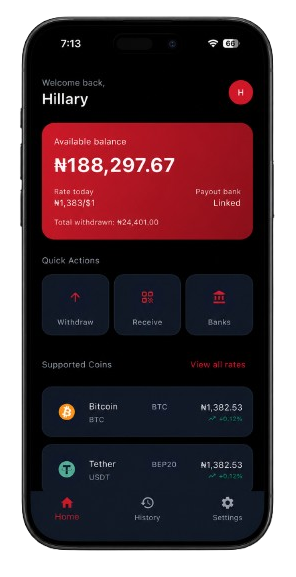
Based in Lekki, Lagos, Nigeria, Hilformation Concepts supports app owners locally and works remotely with founders and developers internationally. Our mobile work includes GoTop's transaction-focused product experience and KuDesk's customer follow-up workflows.
GoTop
Client work involving wallet funding, conversion and withdrawal journeys.
Yes. Hilformation can help compile and prepare the iOS release using macOS and Apple's development tools. You provide the project securely and keep ownership of your Apple Developer account. We agree on appropriate access before starting.
Can you compile my Flutter iOS app?
Yes, where the project supports iOS. We review its configuration and plugins, prepare the release build and address compilation issues within the agreed scope. Major changes to the application are scoped separately.
Can you upload an app to the App Store for me?
Yes. We can prepare signing, upload the build and help complete the required app information in your App Store Connect account. Uploading a build is one step; it must then be selected with the required metadata for App Review.
Can you publish my Android app to Google Play?
Yes. We help prepare the Android App Bundle (the release package Google Play uses), signing, store listing, declarations and appropriate release track. Google controls review and production access.
Can you help if Apple rejected my app?
Yes. We review the rejection notice, explain the issue and help with corrections covered by the agreed scope. Apple makes the final review decision, and some issues may require broader product changes.
Can you help if Google Play rejected my app?
Yes. We can review the notice and help investigate build, listing, declaration or policy issues. We recommend a practical next step and do not bypass Google's policies or guarantee a successful appeal.
Do I need my own Apple Developer account?
Yes. You should own the Apple Developer account used for your application and maintain the required membership. We work through appropriate access permissions and an agreed signing process; you remain the owner.
Do I need my own Google Play developer account?
Yes. The app should be published through your valid Google Play developer account. You handle account verification and platform fees, and grant the access needed for the agreed work.
Can you publish an app built with Flutter?
Yes. We support Flutter publishing for iOS and Android where the project and its dependencies support the target platform. We first check the source, release configuration and developer account requirements.
Can you publish an app built with React Native?
Yes. We can help prepare React Native iOS and Android releases, including signing, store configuration and submission. The approach depends on your project's build setup and native dependencies.
Can you submit an update to an app that is already live?
Yes. We check the existing app identity and signing setup, increment the version, prepare the release and update metadata or screenshots where needed. The update stays associated with your existing store listing.
What if I lost my Android signing key?
It depends on which key was lost and whether Play App Signing is enabled. A lost upload key may be reset through Google's supported process. Losing a self-managed app signing key can prevent updates to the existing app. We assess the setup before recommending a recovery route.
How long does app submission take?
Preparation depends on the project, account readiness, required testing and the issues to resolve. We agree on an estimate after reviewing the app. Apple and Google control their review timelines, so a submission date is not a guaranteed launch date.
Do you guarantee approval?
No. We help prepare, configure, submit and troubleshoot your application according to applicable store requirements. Apple and Google make the final approval decision.
Does Google Play require testing before publishing?
Testing requirements depend on your account and release. Personal developer accounts created after 13 November 2023 must complete the applicable closed-testing requirements before applying for production access. We help with the setup and process, but cannot bypass testing or guarantee production access.